20 fun camera filters you can film live
The most fun camera filters right now react to you: a funhouse fisheye that warps the picture, a clone filter that copies you, a background swap, an X-ray skeleton, and hand filters such as lightning between your fingers. All 20 below run live in the Mote camera on iPhone and Android, so the clip needs no editing.
Quick picks
- Funniest
- Funhouse mirror, stretch and clone
- For Halloween
- X-ray skeleton, night vision and CCTV
- Free
- Soap bubble (iPhone), light trails and glowing web
- Signature hand effects
- Lightning hands and the portal between your fingers
- Checked
- 20 filters, each checked in the current Mote app on . We make Mote, so this list only covers filters we can verify; other apps are covered below.
Funny camera filters that warp the whole picture
No pose needed: point the camera and move. These change the entire frame live.

1. Funhouse mirror (fisheye) filterPro
Bends the whole camera like a funhouse mirror: a fisheye bulge, a balloon face, a squeeze, a swirl or a wobbling jelly.
How: Just move: the whole camera changes live. Pinch to switch the style. Mote effect: Funhouse.
- Fisheye
- Balloon
- Squeeze
- Swirl
- Jelly
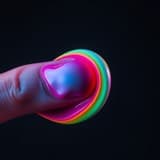
2. Stretch filterPro
Lets you grab the picture with your fingers and pull it like taffy.
How: Pinch and pull to stretch the picture. Mote effect: Taffy.
- Pull
- Warp
- Twist
- Duo Pull
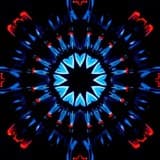
3. Mirror split filterPro
Mirrors the camera into two halves, four quarters or a stack, so you face yourself.
How: Just move: the whole camera changes live. Pinch to switch the style. Mote effect: Mirror.
- Twin
- Quad
- Stack

4. Night vision, CCTV and heat filterPro
Turns the camera into green night vision, a security-camera feed, grainy 8mm film or a heat-camera look. Heat is a color look: a phone camera cannot measure temperature.
How: Just move: the whole camera changes live. Pinch to switch the style. Mote effect: Night Vision.
- CCTV
- Night Vision
- 8mm Film
- Heat
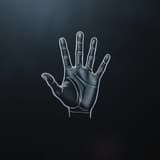
5. Sketch and comic filterPro
Draws the live camera as a pencil sketch, ink, neon lines, a blueprint or a comic panel.
How: Just move: the whole camera changes live. Pinch to switch the style. Mote effect: Sketch.
- Pencil
- Ink
- Neon
- Blueprint
- Comic
Filters that clone you or change what's around you
These find your body in the frame. Prop the phone up or ask a friend to film, and step back a little.
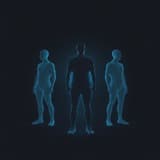
6. Clone filterPro
Copies you into twins, a trio, red-green-blue ghosts or a small crowd that follows your moves.
How: Step into view and move: your copies follow. Mote effect: Clone.
- Twins
- Trio
- RGB
- Crowd

7. Background swap filterPro
Replaces the room behind you with a vaporwave sunset, a starfield, falling code, a Y2K pattern or light rays, and keeps you in front.
How: Step back so your upper body is in view. Pinch to switch the style. Mote effect: Scene.
- Vaporwave
- Stars
- Matrix
- Y2K
- Rays
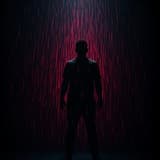
8. Rain and snow filterPro
Rain, snow, sand, petals or embers fall around you and land on you.
How: Stand in view: it falls around you. Mote effect: Fall.
- Rain
- Snow
- Sand
- Petals
- Embers

9. Disco lights filterPro
Puts you under party lights: a rave, a slower groove or sunset colors.
How: Step back so your upper body is in view. Mote effect: Disco.
- Rave
- Groove
- Sunset

10. X-ray skeleton filterPro
Draws a glowing neon skeleton over your body that moves when you move. A good one for Halloween clips.
How: Step back so your upper body is in view. Mote effect: Bones.
- Neon
Hand filters: effects that follow your fingers
The ones people call magic hands. Hold your hands up to the camera; Mote tracks up to two hands at a time. How magic hands videos are made.
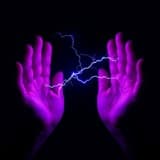
11. Lightning handsPro
Lightning jumps from fingertip to fingertip.
How: Raise both hands, fingers spread, facing each other. Bring them closer for bigger lightning. Mote effect: Lightning.
- Plasma
- Rainbow
- Ice
- Void
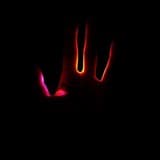
12. Portal between your fingersPro
A new look opens in the gaps between your fingers and moves with your hands.
How: Raise both hands and face your fingers toward each other. Mote effect: Portal.
- Spectrum
- Crystal
- Scanner
- Arcade
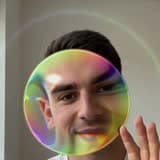
13. Soap bubble from your fingersFree · iPhone
A soap bubble pops out of your fingers and floats around the room.
How: Pinch the air with your thumb and index finger. Pull back, then let go. Mote effect: Bubble.
- Blow
- Prism
- Orb
- Mercury
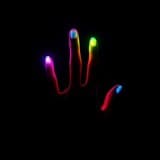
14. Light trails from your fingertipsFree
Trails of light follow each fingertip as you move.
How: Wiggle your fingertips: light trails follow. Mote effect: Light Trails.
- Rainbow
- Orbit
- Bubble
- X-Ray
- Candy
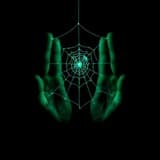
15. Glowing web between your handsFree
Glowing threads stretch between your fingers and follow every finger.
How: Spread both hands in front of the camera. Mote effect: Web.
- Strands
- Rainbow
- Neon
- Silk
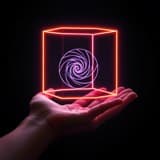
16. Galaxy cube between your palmsPro
A cube with a galaxy inside floats between your palms and turns as they move.
How: Hold both palms apart. One palm works too: the cube floats above it. Mote effect: Galaxy Cube.
- Galaxy
- Wire
- Neon
- Monolith
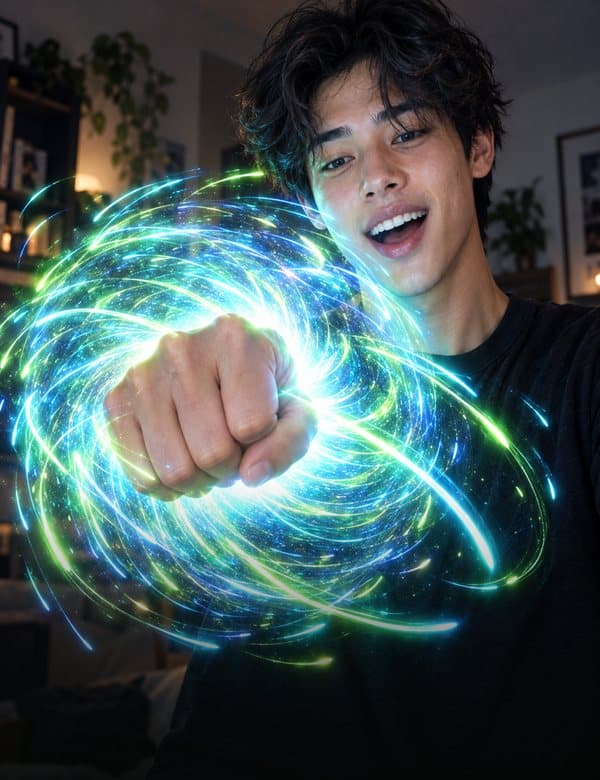
17. Stars you catch in your fistPro
Make a fist and the stars rush into your hand; open it and they burst out.
How: Make a fist, then open your hand. Mote effect: Stars.
- Gather
- Comet
- Split
- Spell
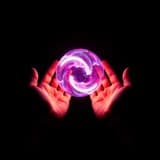
18. Energy ball between your handsPro
A ball of energy gathers between your cupped hands.
How: Cup both hands: energy gathers between them. Mote effect: Energy.
- Bulge
- Vortex
- Pulse
- Glass
- Prism
- Ember
- Frost
- Holo
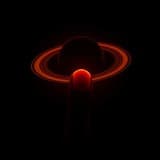
19. Planet floating above your palmPro
A small moon, Mars, a ringed planet or a galaxy hovers above your hand and follows it.
How: Hold up your palm: it floats above your hand. Mote effect: Planet.
- Moon
- Mars
- Neon Ring
- Galaxy
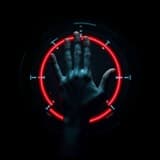
20. Sci-fi HUD on your palmPro
A sci-fi display locks onto each palm: targeting rings, a rainbow dial, scrolling decorative readouts or orbiting ribbons.
How: Hold a palm up to the camera: the display locks onto it and follows your hand. Mote effect: HUD.
- Targeting
- Aura
- Biometric
- Orbit
How to use these filters
- Install Mote (free on the App Store and Google Play) and open it. No account is needed.
- Pick a filter on the home screen. Each one opens with a short guide to its gesture.
- Do the gesture and tap record. The filter is drawn on the live camera, so the clip already has it.
- Save the clip to Photos and post it anywhere, or use Share to Story for Instagram (from Mote 1.3.0).
Free clips are up to 15 seconds with a small watermark. Mote Pro unlocks every filter, 60-second clips and no watermark. Mote also has Hologram, Tone, Flow, Cutout, Lens, Spotlight, Orb, Reactor, Deck: 29 effect sets on iPhone and 28 on Android. See them all.
Does Instagram still have fun filters?
Fewer than before. On January 14, 2025, Meta removed effects made by outside creators from Instagram and Facebook, so only Meta’s own effects remain there. Snapchat Lenses (built in Lens Studio, which supports hand tracking) and TikTok effects (built in Effect House) are still made by creators, so which fun filters you find there changes as creators publish and remove them. A filter recorded in a camera app such as Mote stays in the clip, so you can post the same video to Reels, TikTok and Shorts.
Questions
Is there a free app with fun camera filters?
Yes. Mote is free to download, and Bubble (iPhone), Light Trails and Web are free to use, with clips up to 15 seconds and a small watermark. The other filters on this list need Mote Pro. Snapchat Lenses and TikTok effects are also free inside those apps.
Do these filters work on Android?
Yes, all of them except Bubble, which is iPhone only for now. Mote needs Android 7.0 or later, or iOS 16 or later on iPhone.
Can I post the clips on TikTok, Instagram or YouTube Shorts?
Yes. The filter is recorded into the clip, so you save it to Photos and post it anywhere. From Mote 1.3.0 a Share to Story button also sends it straight to Instagram Stories.
Is the heat filter real thermal imaging?
No. It is a color look that imitates a heat camera. A phone camera records visible light and cannot measure temperature.
Do I need an account?
You don't need an account. Hand and body tracking run on the phone, and camera frames are not uploaded.
Sources
- Social Media Today: Meta is shutting down Spark AR Studio (third-party effects end January 14, 2025)
- Snap for Developers: Lens Studio hand tracking
- TikTok Newsroom: Effect House
Thumbnails are the preview art shown in the Mote app, not screenshots. Mote facts are from the app itself. Updated by Second Earth.